
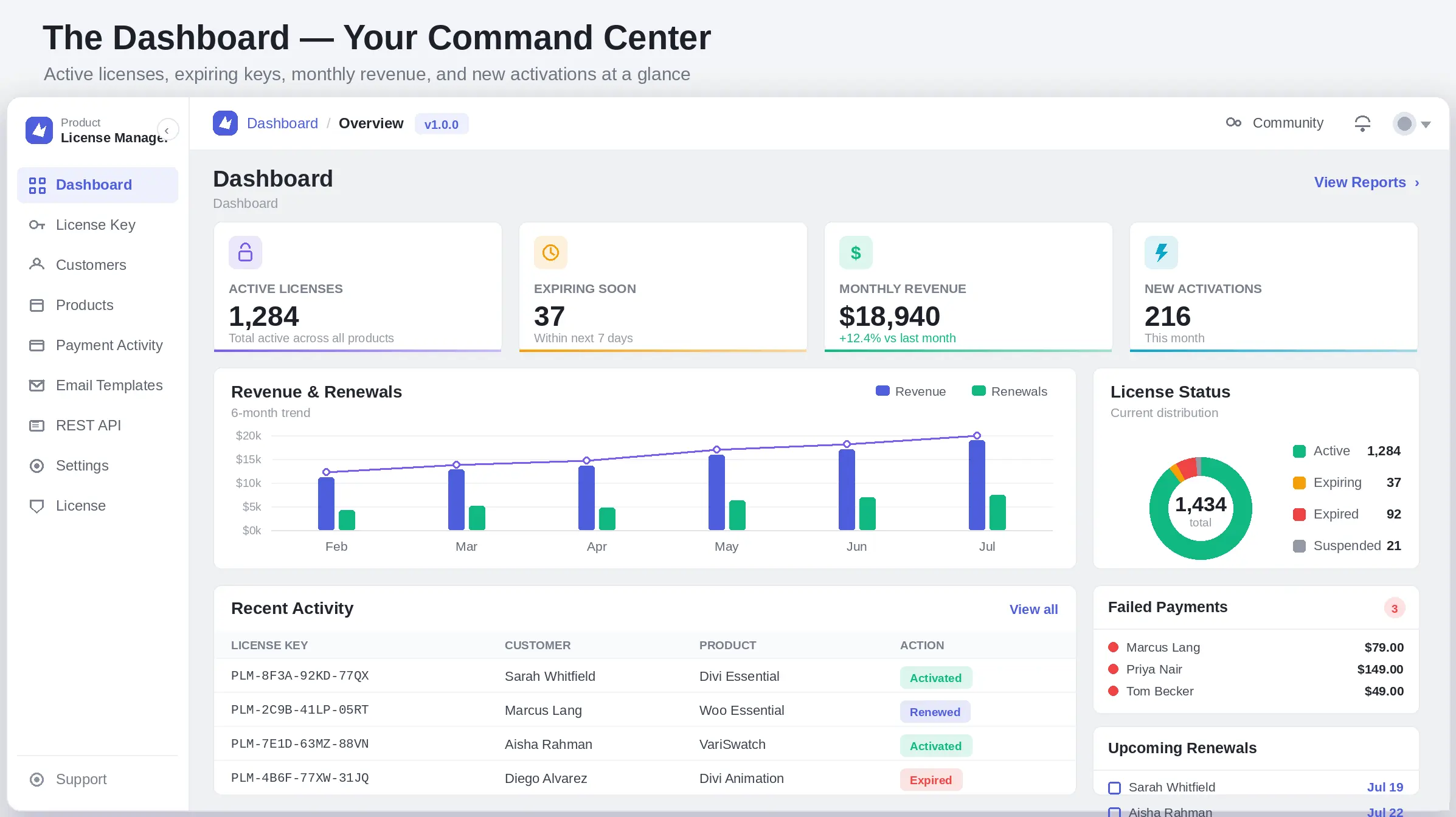
The Dashboard is the first thing you see and the one screen worth checking daily. It's built around four numbers that matter most, two trend panels, and a live activity feed.
| Section | What it tells you |
| Active Licenses | Total licenses currently valid across every product |
| Expiring Soon | Licenses lapsing within the next 7 days — your renewal-outreach list |
| Monthly Revenue | Current month's license revenue versus last month |
| New Activations | How many licenses were activated on a site this month |
| Revenue & Renewals | A 6-month trend so you can spot seasonality or churn early |
| License Status | The current split between active, expiring, and expired licenses |
| Recent Activity | The latest license events — key, customer, product, and action |
| Failed Payments | Any renewal charges that didn't go through, so you can follow up |
| Upcoming Renewals | What's due soon, before it becomes an expiring-soon emergency |
TIP Click View Reports in the top-right corner of the Dashboard whenever you need deeper numbers than the summary cards — it's the shortcut to full reporting rather than a separate menu item to hunt for.