
Installing Product License Manager follows the same process as any WordPress plugin — there's nothing exotic here, and you'll be looking at a working dashboard in under five minutes.
Install the plugin:
- Log in to your WordPress dashboard.
- Navigate to Plugins → Add New.
- Click Upload Plugin at the top of the page.
- Select the Product License Manager .zip file from your computer.
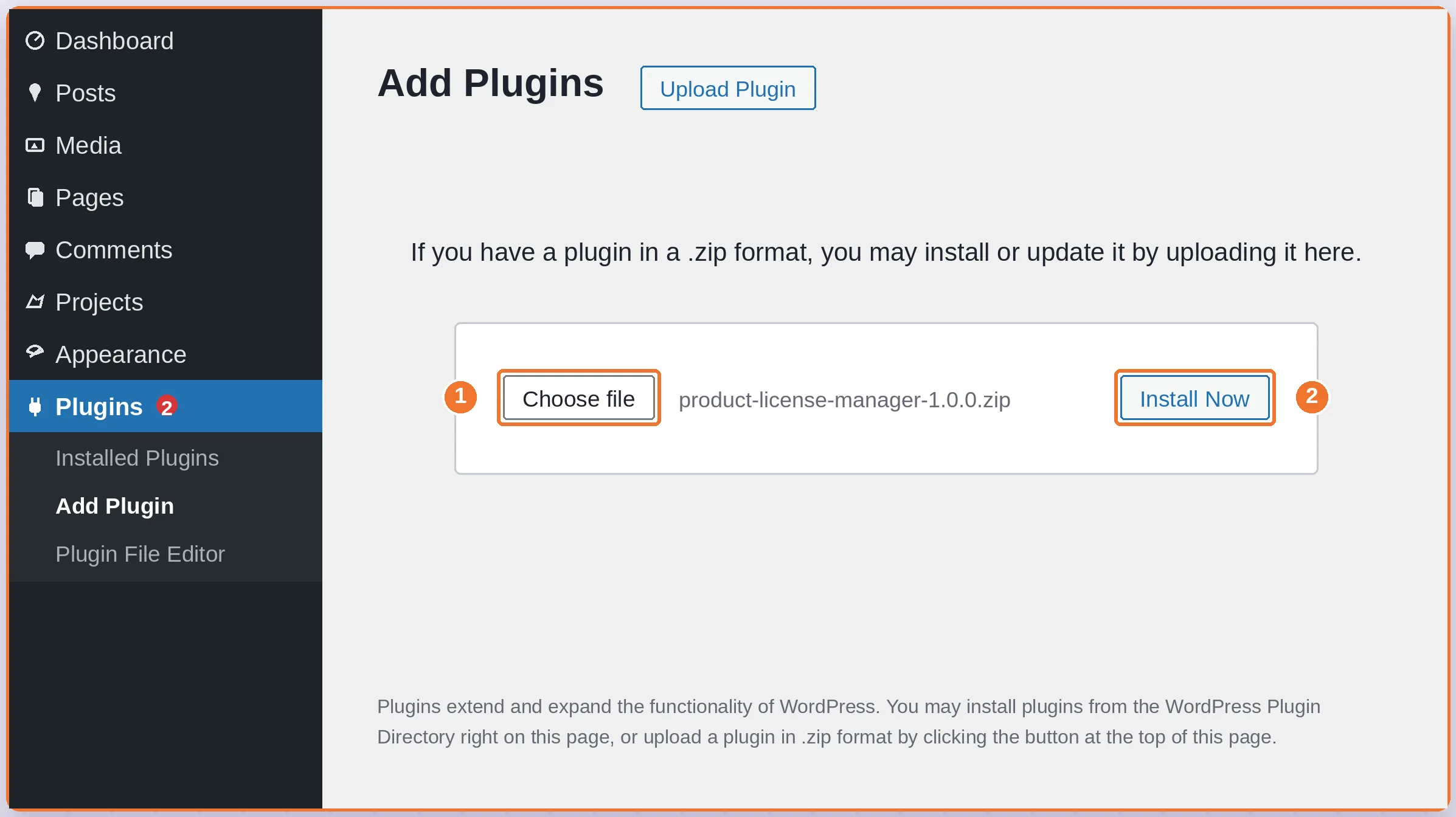
5. Click Install Now, then Activate Plugin once installation finishes.
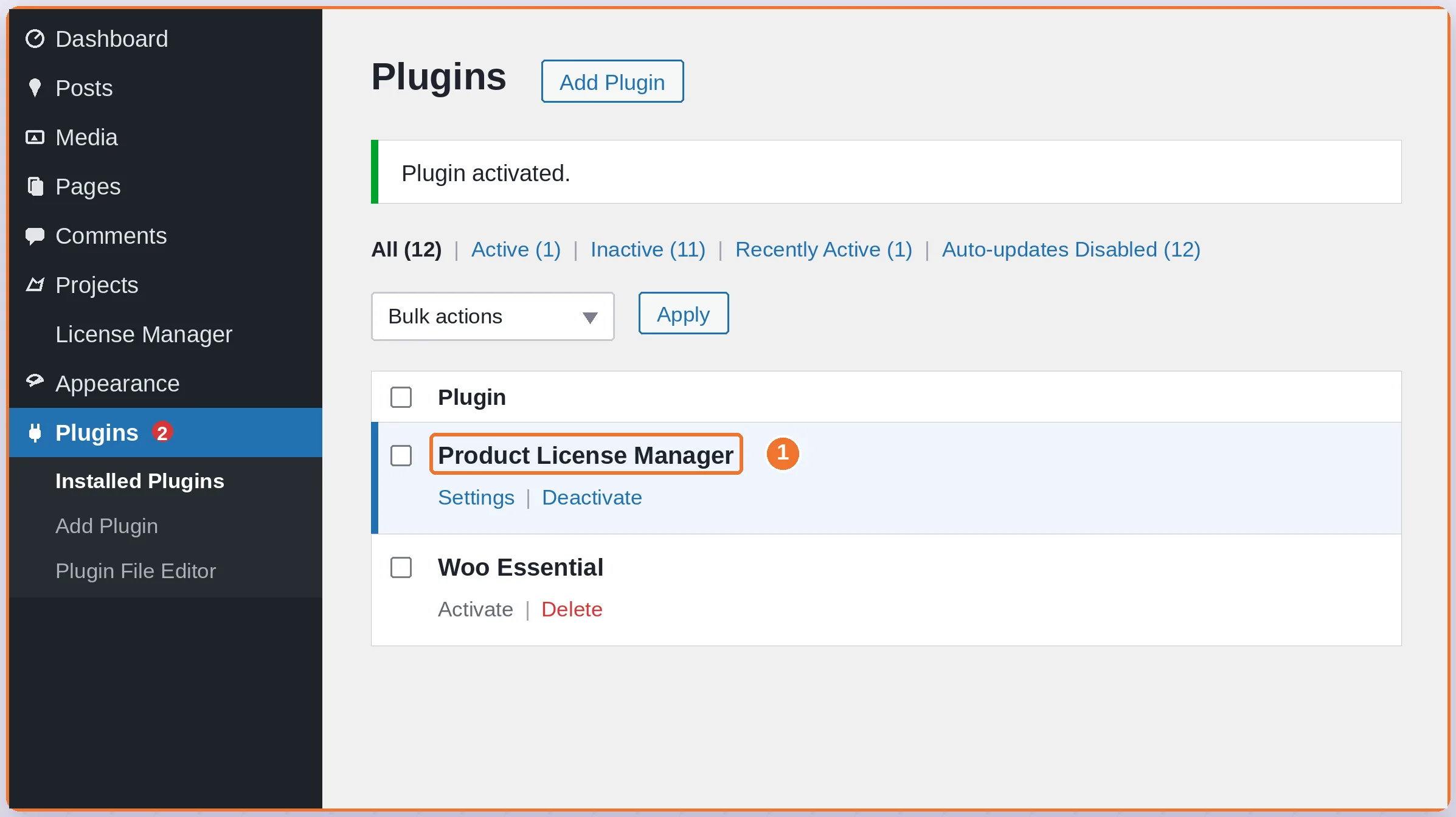
Activate your license:
- Open Product License Manager from the WordPress admin menu.
- Go to License in the sidebar.
- Paste the license key you received after purchase into the field.
- Click Activate to unlock updates and support.
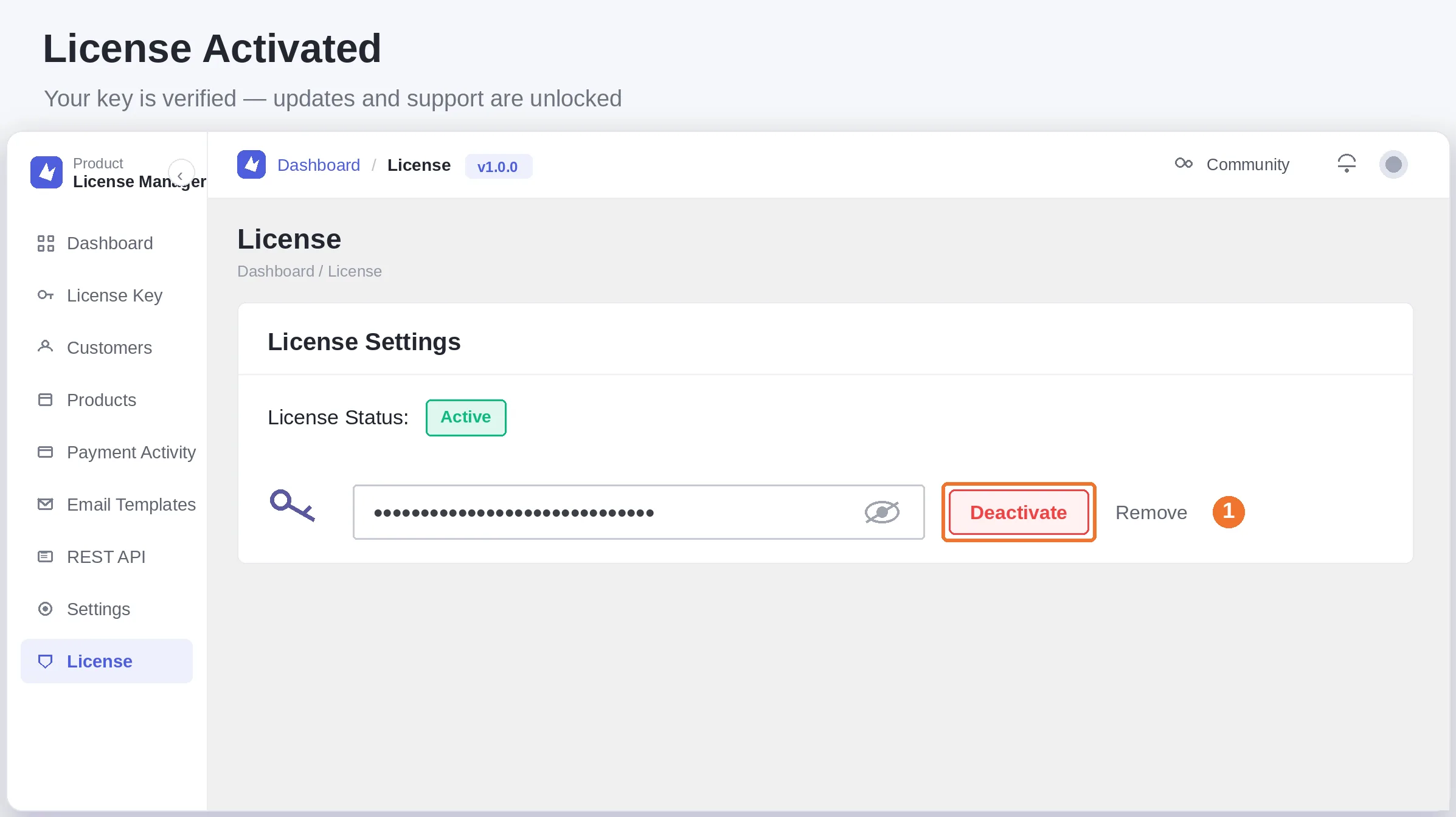
WARNING The License screen activates *this plugin itself* — it's separate from the License Key section, which issues keys for *your own* products. It's easy to confuse the two on first use; if you're trying to generate a key for something you sell, you want License Key in the sidebar, not License.
Once your plugin license shows Active, every feature below is unlocked and ready to configure.