
This is the operational heart of the plugin: every key you've ever issued, searchable, filterable, and editable from one table.
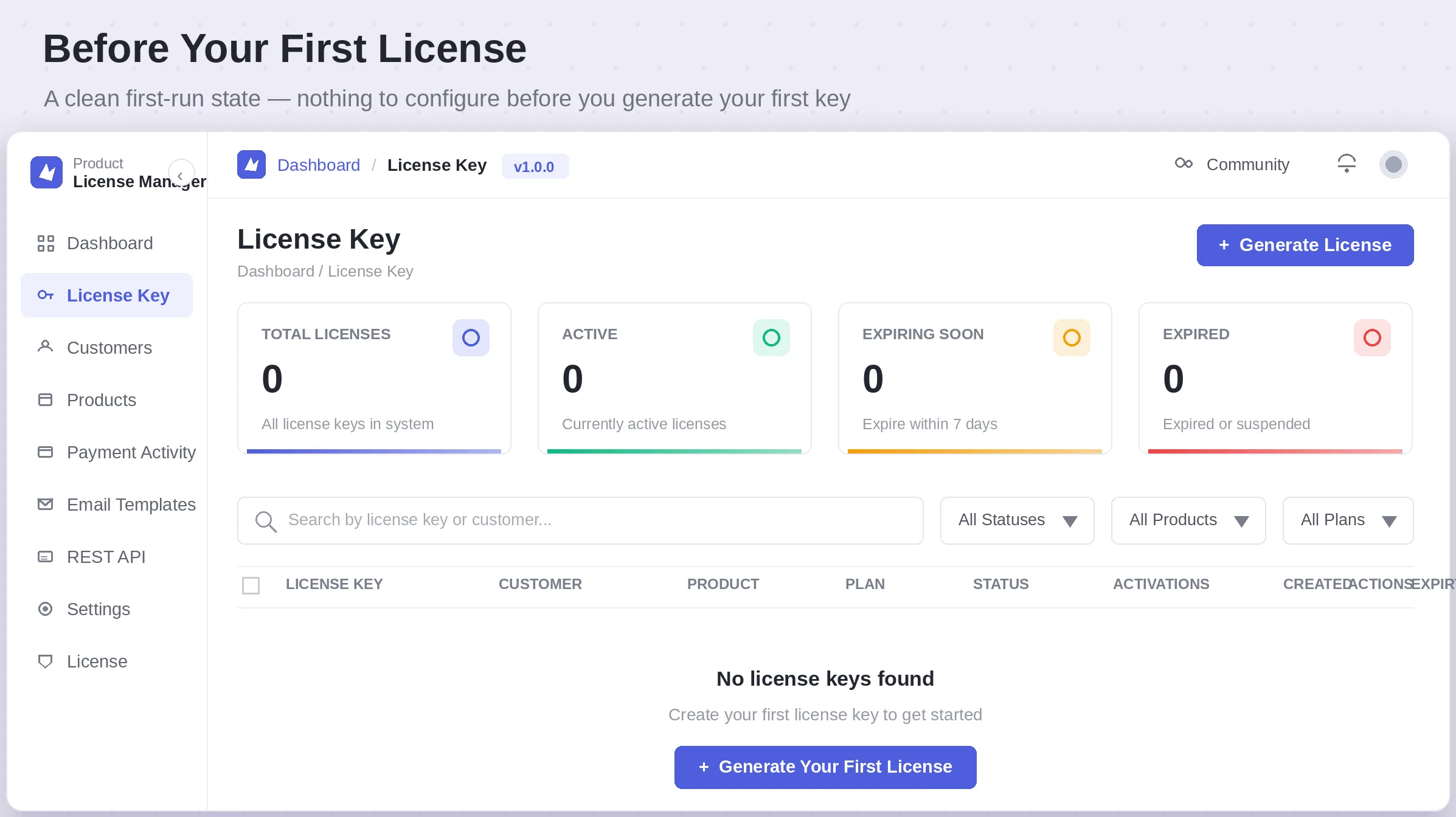
The four cards at the top of the page — Total Licenses, Active, Expiring Soon, Expired — give you an instant health check before you even touch the table below. The table itself can be narrowed by status, product, or plan, or searched directly by license key or customer name.
|
Column |
Description |
|
License Key |
The unique key string issued to the customer |
|
Customer |
Who the license belongs to, linked to their customer record |
|
Product |
Which product the key unlocks |
|
Plan |
The pricing plan tied to the license, if applicable |
|
Status |
Active, Expiring Soon, Expired, or Suspended |
|
Activations |
How many sites are currently using the key, out of its limit |
|
Created |
The date the license was issued |
|
Expiry |
When the license lapses — blank means it never expires |
|
Actions |
View, copy, view details, regenerate, or delete the license |
Generating a New License
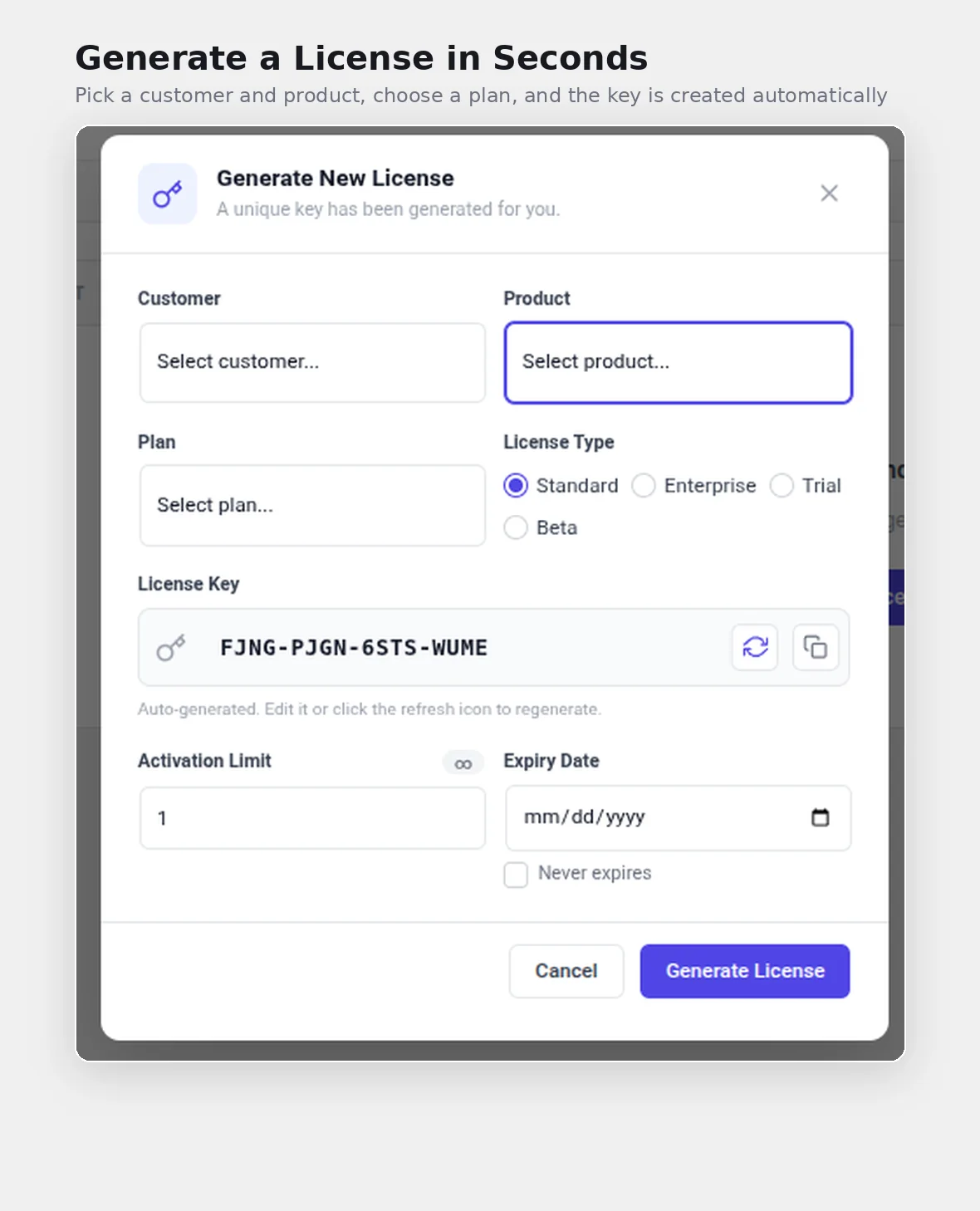
Click + Generate License from the top of the License Key screen to open the creation modal.
|
Field |
What it controls |
|
Customer |
Who this license is issued to |
|
Product |
Which product the key activates |
|
Plan |
The plan tier attached to the license |
|
License Type |
Standard, Enterprise, Trial, or Beta |
|
License Key |
Auto-generated on open — edit it manually or click refresh to regenerate |
|
Activation Limit |
How many sites can activate this single key at once |
|
Expiry Date |
The date the license lapses — or check Never expires |
NOTE The license key is generated automatically the instant the modal opens, so you're never staring at a blank field. If the auto-generated key doesn't match a format you use elsewhere, you can type your own directly into that field before saving.
|